Email Tutorials
Website Home ➣ Help Home ➣ Email Tutorials
Very important ! Just stick to the instructions in the tutorials.
How to change Email password in cPanel RoundCube Email UI
-
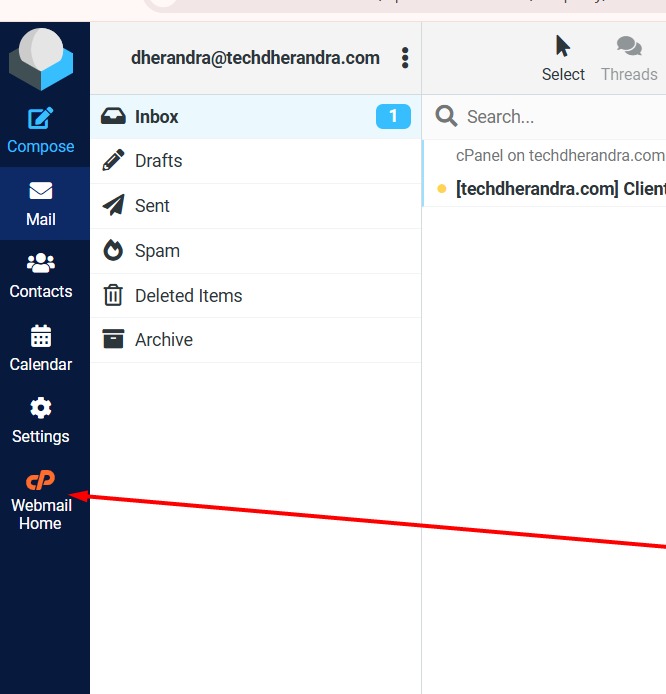
Once logged-in, click here
-
Now click here

-
Now fill in new password and click 'SAVE' and password will be changed.
Note:- Choose a strong password and Follow the password rules while changing the old password.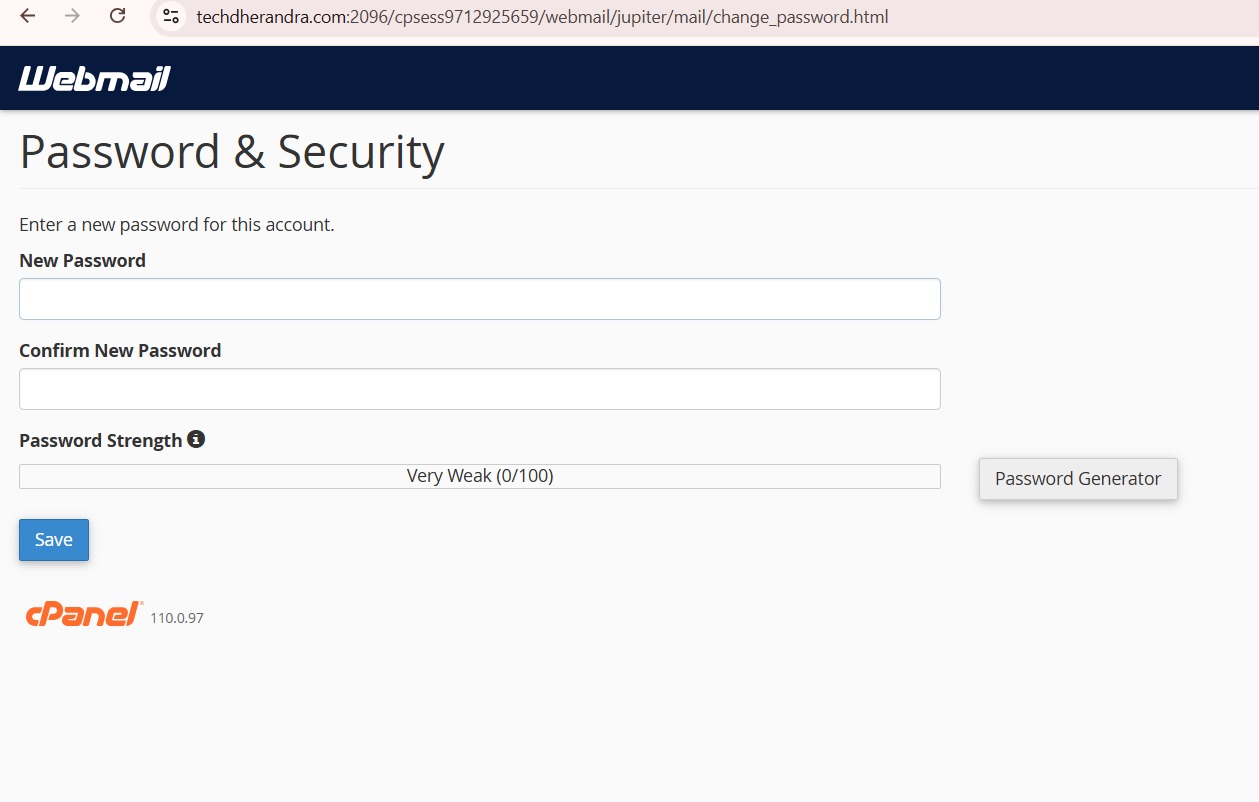
-
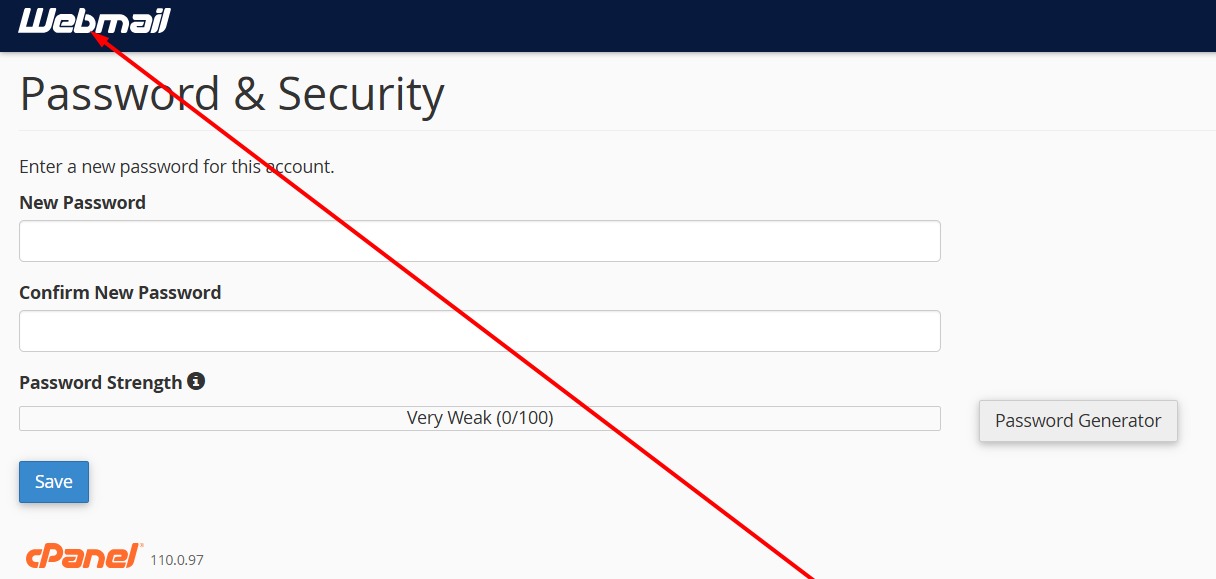
Once password changed, click here to go back.
-
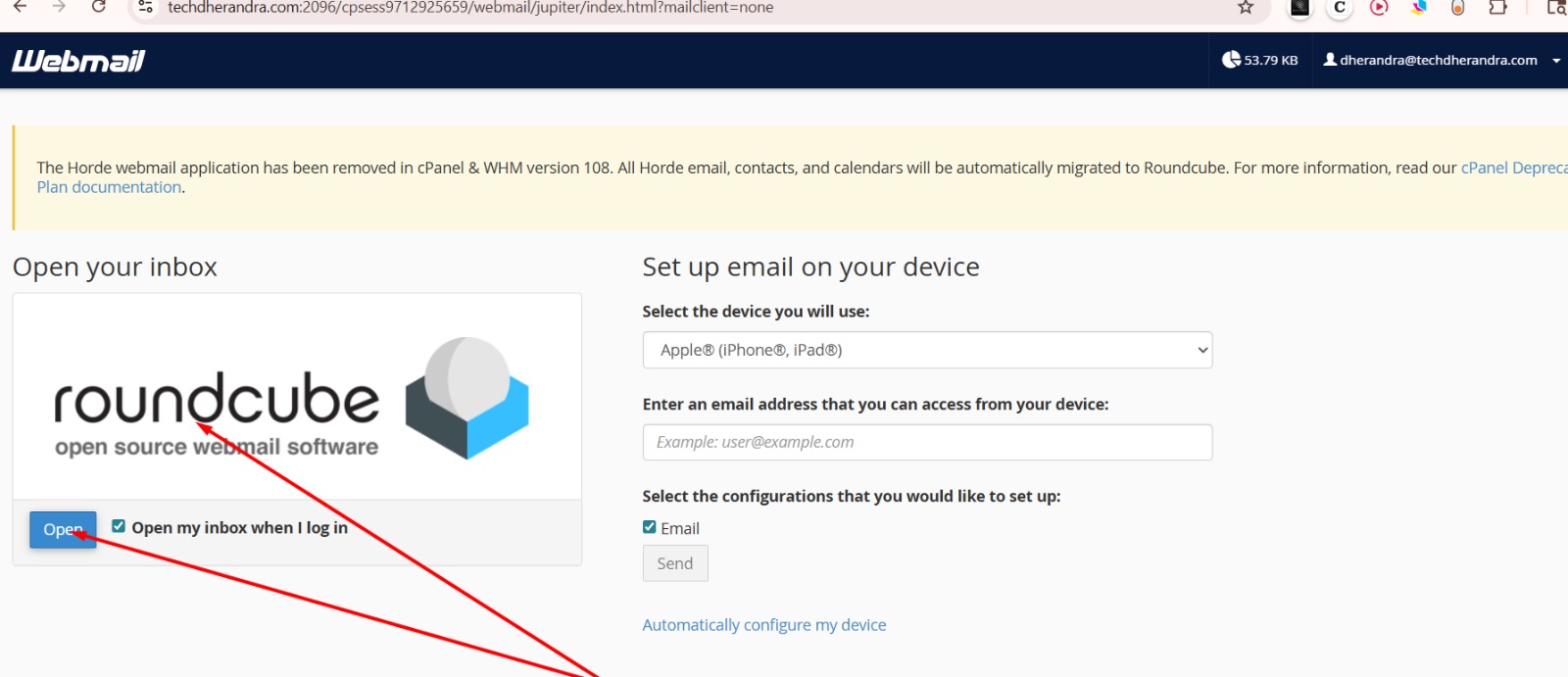
Now click here and you will be able to go back to your main mailing screen.
- Done.
a_anchor2
zzzzz
a_anchor3
zzzzz
a_anchor4
zzzzz
a_anchor5
zzzzz
a_anchor6
zzzzz
a_anchor7
zzzzz
a_anchor8
zzzzz
a_anchor9
zzzzz
a_anchor10
zzzzz
a_anchor11
zzzzz
a_anchor12
zzzzz
a_anchor13
zzzzz
a_anchor14
zzzzz